




 Garantía de entrega






Artículo: AMZ-B0D8L5KSWN
ZWP
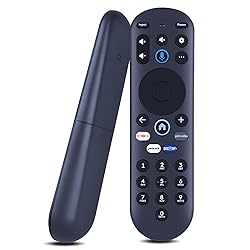
ZWP Replacement Remote for Hisense X UHD LED XClass TV MG3-R34010/297107, Compatible with Pioneer Xumo tv Remote CP-RC1NA-23(with Voice Function)
Detalles del producto
Disponibilidad
En stock
En stock
Peso con empaque
0.20 kg
0.20 kg
Devolución
Sí
Sí
Condición
Nuevo
Nuevo
Producto de
Amazon
Amazon
Viaja desde
USA
USA
Sobre este producto
- Pairing your remote to an existing TV 1. Press the Setting Button 2. Select Remote > Pair your remote to your TV 3. Follow the on-screen instructions 4. If pairing fails, turn off your TV and unplug from the power source. Plug TV back in, power on, and try steps 1-3 again. Pairing your remote to a sound system 1. Press the Setting Button 2. Select Remote > Pair your remote and sound system 3. Follow the on-screen instructions. How to reset your remote 1. Hold the and buttons for 3 seconds until the light at the top of the remote turns solid green 2. Press 9, then 8, then 4 (the light will blink red a few times) 3. Hold the and buttons for 3 seconds again 4. Press 9, then 8, then 1 5. Wait for the light at the top of the remote to flash red again 6. With your remote control pointed towards your TV, try pressing the button then other keys to make sure your remote is working properly Note: Voice control will not work until you pair your remote. Voice commands only work when your TV is connected to the internet.
$66,78
44% OFF
$37,10
IMPORT EASILY
By purchasing this product you can deduct VAT with your RUT number
$66,78
44% OFF
$37,10
Envío gratis
 Llega en 12 a 16 días hábiles
Con envío
 Tienes garantia de entrega
Este producto viaja
de USA ![]() a tus manos en
a tus manos en
![]()
 a tus manos en

Conoce más detalles
Compatible with Hisense X UHD LED XClass Smart TV model:MG3-R34010/297107, Compatible with Pioneer Xumo TV model:CP-RC1NA-23 PN43-751-24U PN50-751-24U PN55-751-24U PN65-751-24U Pairing your remote to an existing TV 1. Press the Setting Button 2. Select Remote > Pair your remote to your TV 3. Follow the on-screen instructions 4. If pairing fails, turn off your TV and unplug from the power source. Plug TV back in, power on, and try steps 1-3 again. Pairing your remote to a sound system 1. Press the Setting Button 2. Select Remote > Pair your remote and sound system 3. Follow the on-screen instructions. How to reset your remote 1. Hold the and buttons for 3 seconds until the light at the top of the remote turns solid green 2. Press 9, then 8, then 4 (the light will blink red a few times) 3. Hold the and buttons for 3 seconds again 4. Press 9, then 8, then 1 5. Wait for the light at the top of the remote to flash red again 6. With your remote control pointed towards your TV, try pressing the button then other keys to make sure your remote is working properly Note: Voice control will not work until you pair your remote. Voice commands only work when your TV is connected to the internet. Brand new Remote Control Made of high-quality ABS, which is wear-resisting and durable, comfortable hand feeling.Package Included:1 x Remote Controller (not include the battery) Any question, Please do not hesitate to contact us before leaving Feedback, We will help you resolve it, Thank you。
Compra protegida
Disfruta de una experiencia de compra segura y confiable
![]() Garantía de entrega
Garantía de entrega
Con Tiendamia todas tus compras cuentan con Garantía de Entrega o devolución total de tu dinero.
Compras 100% seguras y garantizadas, para que pidas lo que sueñas y lo recibas del mundo a tu puerta.
Tarjetas de Débito y Crédito

Visa

Mastercard

American Express

Dinners

Discover

Alias
Pagos a través de PayPal
Compra procesada en dólares con dinero en cuenta o tarjetas internacionales.

PayPal

.svg)
