




 Garantía de entrega







Artículo: AMZ-B0GFF7DB78
Tangxi
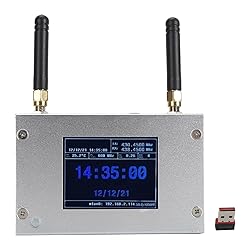
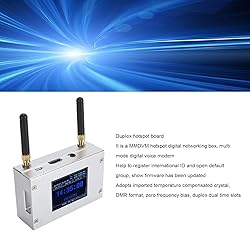
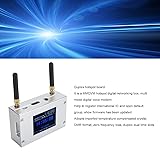
Tangxi MMDVM Duplex Hotspot Board, Multi Mode WiFi Digital Voice Modem, Support C4FM / DMR/DSTAR P25, 2 Antennas, Color Display, Aluminum Case
Detalles del producto
Disponibilidad
En stock
En stock
Peso con empaque
0.27 kg
0.27 kg
Devolución
No
No
Condición
Nuevo
Nuevo
Producto de
Amazon
Amazon
Viaja desde
USA
USA
Sobre este producto
- Specification: Item Type: MMDVM Duplex Hotspot Board Product Material: Aluminum Alloy Color: Silver Color Support Digital Format: C4FM, DMR, DSTAR P25 and Other Digital Formats Operating Frequency Range: 144‑148/219‑225, (Main Band) 420‑475/842‑950 Interface: Micro USB x 1, HD Multimedia Interface x 1, 3.5mm Sound Jack x 1, USB x 4, RJ45 x 1 Memory Card Slot: Built in 8G Memory Card Antenna: Two External Antennas How to Use: WiFi settings when MMDVM first starts up: I. Connect to an automatic AP hotspot: 1. The hotspot is powered up. 2. Wait for for Pi‑Star to start. It usually takes about a minute (longer if using for Pi 0W ). If your hotspot has an on‑screen display, you can watch for Pi‑Star start up until you are prompted to log in. 3. 3. Wait 2 minutes for the Auto AP feature to activate. 4. 4. View the hotspot named "Pi‑Star‑Setup" on your computer or cell phone and connect. WiFi Hotspot: Pi‑Star‑Setup; Password: 12345678 II. Login for Pi‑Star page. 1: 1. Connect successfully. 2. When you start for Pi‑Star for the first time, you will see a page showing "No Mode Defined...". Click Configure. Click "Configure" or wait 10 seconds to be redirected to the configuration page. 3. Enter the configuration page, and enter your account password to log in to the for Pi‑Star page. Default user name: pi‑star; Password: 12345678 III. Add individual WiFi connection: 1. After entering the configuration page, scroll to "Wireless Configuration", click Configure WiFi. 2. Select your country or area code, click Scan for Networks (10 seconds) to start searching for WiFi, and wait 10 seconds. 3. If the WiFi you want to add is not in the search results, you can add it manually. 4. After the hotspot reboots, it will connect to the set individual WiFi. Visit for Pi‑Star in your browser for additional configuration. Package List: 1 x Hotspot Board 2 x Antenna
$506,51
55% OFF
$230,23
IMPORT EASILY
By purchasing this product you can deduct VAT with your RUT number
$506,51
55% OFF
$230,23
Envío gratis
 Llega en 16 a 26 días hábiles
Con envío
 Tienes garantia de entrega
Este producto viaja
de USA ![]() a tus manos en
a tus manos en
![]()
 a tus manos en

Conoce más detalles
Duplex Hotspot Board: It is a MMDVM hotspot digital networking box, multi mode digital voice modem, help to register international ID and open a default group, show that the firmware has been updated, using imported temperature compensated crystals, DMR format, 0 frequency bias, duplex double time slot. Multifunction: Support C4FM, DMR, DSTAR P25 and other digital formats, to solve the problem of inconsistent digital intercom system, to achieve multi digital system interoperability, the working frequency range: 144‑148/219‑225, (the main band) 420‑475/842‑950, with a cell phone hotspot or WiFi network networking connection, to meet you and the world's HAMs Connectivity. Ethernet Connectivity: The unit comes with an Ethernet connectivity device that plugs into one of the micro USB ports. After plugging the device into an Ethernet switch, it will instantly and easily connect to your home network. For a wired connection, log on to the unit using the IP address assigned by your network router. Excellent Heat Dissipation: MMDVM duplex dual slot digital hotspot board optimizes the alignment with perfect component layout, low heat generation and fast heat dissipation for long term startup. Easy Charging: Mobile charger or micro USB cable connected to your computer or laptop. If you connect the hotspot to your cell phone network, the hotspot can also be used on the move in your vehicle (without USB cable).
Compra protegida
Disfruta de una experiencia de compra segura y confiable
![]() Garantía de entrega
Garantía de entrega
Con Tiendamia todas tus compras cuentan con Garantía de Entrega o devolución total de tu dinero.
Compras 100% seguras y garantizadas, para que pidas lo que sueñas y lo recibas del mundo a tu puerta.
Tarjetas de Débito y Crédito

Visa

Mastercard

American Express

Dinners

Discover

Alias
Pagos a través de PayPal
Compra procesada en dólares con dinero en cuenta o tarjetas internacionales.

PayPal

.svg)
