






 Garantía de entrega






Artículo: AMZ-B0BZL7CGPN
cooidea
COOIDEA PC Power Button Switch External Desktop Computer Power Button, Power Supply Control Adapter Cable 2.5M, ATX Desktop Computer Motherboard Power SW Cables with Magnet
Detalles del producto
Disponibilidad
En stock
En stock
Peso con empaque
0.20 kg
0.20 kg
Devolución
Sí
Sí
Condición
Nuevo
Nuevo
Producto de
Amazon
Amazon
Viaja desde
USA
USA
Sobre este producto
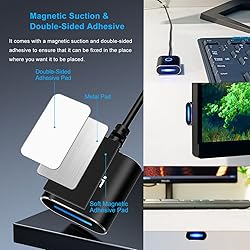
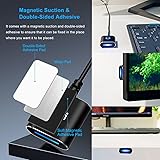
- The cooidea external computer switch allows users to easily start their computer from any convenient location. The product comes with a 2.5-meter extension cable, uses standard 2.54mm Dupont connectors, and features dual indicator lights on the top/front, as well as rich installation accessories. specifications Color:Black Calbe Length :2.5M Weight:14g Size:28*28*13mm Materal:Aluminum alloy Connection terminal:2.54mm Dupont connectors Installation Notes: 1.Find a suitable hole (such as a ventilation hole) on the back of the computer case and guide the connection cable of the power switch into the case. 2.Insert the "Power LED" and "Power SW" connectors (female) into the corresponding pins (male) on the motherboard, taking care not to reverse the "+" and "-" of the LED wire. 3.Connect the original power button of the case to the power switch through the "Power SW" splitter cable (male), so that you can use both the original power button and the external power switch at the same time. 4.Use the included cable ties and cable management clips to secure the connection cables inside the case. 5.After confirming that all terminals are connected correctly, press the original power button of the case or the external power switch to start the desktop computer and ensure that everything is functioning properly. 6.Attach the included soft magnetic pad to the bottom of the switch, so that it can be easily installed on certain metal chassis (you can attach a metal pad to the installation location). Of course, you can also directly use double-sided tape to fix the switch in any position you want. 7.Use cable clips to secure the cables in the appropriate position. Package Content: Power switch with a 2.5-meter cable Double-sided adhesive pads soft magnetic adhesive pad metal pad cable clip cable tie manual
$44,39
49% OFF
$22,77
IMPORT EASILY
By purchasing this product you can deduct VAT with your RUT number
$44,39
49% OFF
$22,77
Envío gratis
 Llega en 5 a 12 días hábiles
Con envío
 Tienes garantia de entrega
Este producto viaja
de USA ![]() a tus manos en
a tus manos en
![]()
 a tus manos en

Conoce más detalles
【External PC Power Switch】 This desktop PC power button comes with a 2.5-meter extension cable and an LED indicator light. It can be used to extract the power/reset button from the computer case and place it anywhere for easy operation. 【Small and Exquisite Metal Casing】 This PC switch features an aluminum alloy casing with anodizing and sandblasting processes, resulting in a beautiful appearance. With dimensions of only 28mm x 28mm x 13mm, it can be conveniently placed in a discreet location without taking up much space. 【Flat Keys with Dual Indicators】 The hidden flat keys provide a sleek appearance and reduce the chance of accidental presses. The dual indicators on the front and top make it easy to monitor and suitable for various installation positions. 【Rich Accessories and Easy Installation】 Equipped with soft magnetic adhesive pad, metal pad, cable clips, cable ties, Double-sided adhesive pads, suitable for various installation methods. Comes with installation instructions, you can easily install it by following the instructions. 【TPU Cable with Gold-Plated Contacts】 The PC on off Switch comes with a high-quality TPU cable that is both soft and durable. It uses standard 2.54mm DuPont connectors with gold plating on the contact points to prevent oxidation, ensuring optimal conductivity even during extended periods of use.Moreover, It features a one-piece forked design, providing a secure connection that won't become detached easily, adding to its reliability.
Compra protegida
Disfruta de una experiencia de compra segura y confiable
![]() Garantía de entrega
Garantía de entrega
Con Tiendamia todas tus compras cuentan con Garantía de Entrega o devolución total de tu dinero.
Compras 100% seguras y garantizadas, para que pidas lo que sueñas y lo recibas del mundo a tu puerta.
Tarjetas de Débito y Crédito

Visa

Mastercard

American Express

Dinners

Discover

Alias
Pagos a través de PayPal
Compra procesada en dólares con dinero en cuenta o tarjetas internacionales.

PayPal

.svg)
