




 Garantía de entrega






Artículo: AMZ-B0CQQ65NDM
Alizen
Replacement Backlit Remote for TCL & Hisense Roku TV | Compatible with Roku Streaming Box (Essential TV Controls, Pairing Required)
Model:
Roku remote
Detalles del producto
Disponibilidad
En stock
En stock
Peso con empaque
0.20 kg
0.20 kg
Devolución
Sí
Sí
Condición
Nuevo
Nuevo
Producto de
Amazon
Amazon
Viaja desde
USA
USA
Sobre este producto
- 1: Compatbile with Roku Box, Roku 1 2 3 4 HD LT XS XD, Roku Express/+, Roku Premiere/+, Roku Ultra LT, Roku Ultra. It can also control connected major TV brands, including VIZIO, SAMSUNG, LG,, PHILIPS, SHARP, INSIGNIA, TOSHIBA, PANASONIC, DYNEX. 2: Compatbile with all Roku series TVs, w/ TCL Roku TV, Hisense Roku TV, Onn Roku TV, Sharp Roku TV, Element Roku TV, Westinghouse Roku TV, Philips Roku TV, Insignia Roku TV, JVC Roku TV, RCA Roku TV, Hitachi Roku TV, and Sanyo Roku TV. This Roku Remote can be illuminated/lighted
$26,26
44% OFF
$14,59
IMPORT EASILY
By purchasing this product you can deduct VAT with your RUT number
$26,26
44% OFF
$14,59
Envío gratis
 Llega en 5 a 12 días hábiles
Con envío
 Tienes garantia de entrega
Este producto viaja
de USA ![]() a tus manos en
a tus manos en
![]()
 a tus manos en

Conoce más detalles
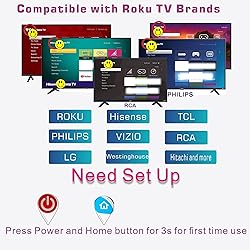
First-Time Pairing: Press & hold Power + Home buttons for 3 seconds to reset/pair the remote. Universal remote for Roku TV series: TCL, Hisense, Sharp, Philips, and Westinghouse (full list in product details). Works with all Roku streaming devices: Ultra/Express/Premiere series, legacy models (1/2/3/4), and Roku Box. Need to place the Roku device in front of the TV. Press Power+OK for 5s to pair. TV Brand Compatibility: Controls power, volume, input, and sleep timer for VIZIO, Samsung, LG, Philips, Sharp, Insignia, Toshiba, Panasonic, Dynex (sleep timer varies by model). Press Power+OK for 5s to pair. Energy-Efficient Backlighting Auto-activates with any button press and shuts off after 6 seconds to conserve battery life. Low Brightness Fix: Replace batteries if backlight dims (batteries not included). Infrared (IR) Limitations Not Compatible: Roku Stick, Roku Audio, voice commands, headphone jacks, or non-Roku smart TVs. Not Wi Fi/ Bluetooth Pairing Tip: Place Roku device in direct line-of-sight for initial setup; use Power + OK (5-second hold) to sync.
Compra protegida
Disfruta de una experiencia de compra segura y confiable
![]() Garantía de entrega
Garantía de entrega
Con Tiendamia todas tus compras cuentan con Garantía de Entrega o devolución total de tu dinero.
Compras 100% seguras y garantizadas, para que pidas lo que sueñas y lo recibas del mundo a tu puerta.
Tarjetas de Débito y Crédito

Visa

Mastercard

American Express

Dinners

Discover

Alias
Pagos a través de PayPal
Compra procesada en dólares con dinero en cuenta o tarjetas internacionales.

PayPal

.svg)
