







 Garantía de entrega








Artículo: AMZ-B07449HLKJ
SAFFUN
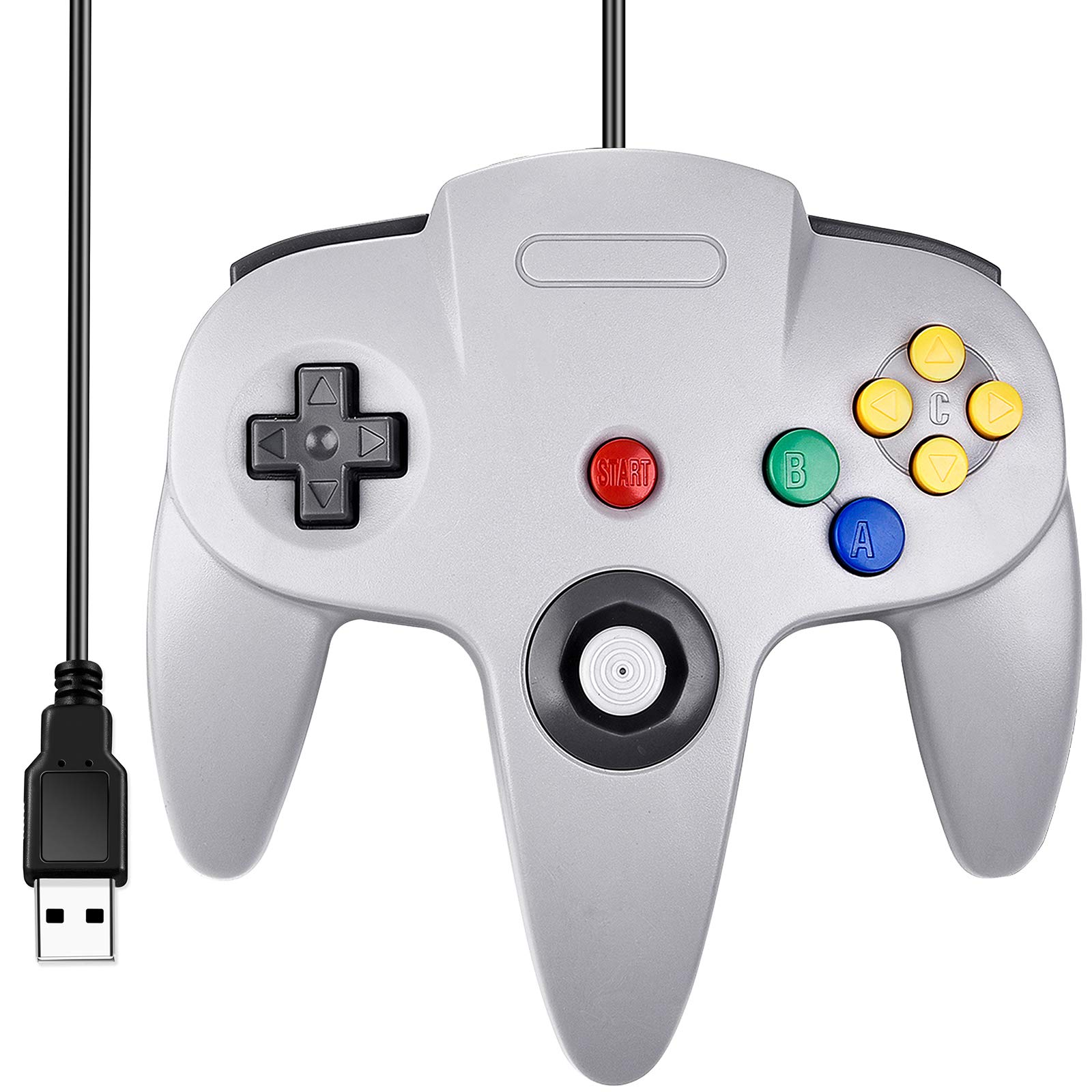
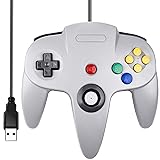
SAFFUN Classic N64 Controller, N64 Wired USB PC Game pad Joystick, N64 Bit USB Wired Game Stick Joy pad Controller for Windows PC MAC Linux Raspberry Pi 3 Sega Genesis Higan (Grey)
Color:
Wired Gray
Detalles del producto
Disponibilidad
En stock
En stock
Peso con empaque
0.28 kg
0.28 kg
Devolución
No
No
Condición
Nuevo
Nuevo
Producto de
Amazon
Amazon
Viaja desde
USA
USA
Sobre este producto
- Customers Frequently Asked Questions: Q: 1. What can of application do I need to download to use this controller? A: No application needed. Plug it in and your PC or Respberry Pi will recognize it. Q: 2. Work with steam games on pc? A: No, not support steam games. Q: 3. Will this work for Tesla Atari games? A: If you're using an Atari emulator on PC or Mac, then it will. Q: 4. Can I use it to play online games? A: No, this controller doesn't support online games because you couldn't map the buttons. Q: 5. Why my controller inputting both joystick and keyboard buttons? A: What emulator are you using? Difficulty on mapping the buttons depends on the emulator. We recommend using Project 64 on PC, OpenEmu on Apple Mac, Retropie on Respberry Pi. Q: 6. After running a configuration through retroarch,when i connect the controller to my retropie/raspberry pi 2,the pi doesn't detect it.what's wrong? A: You can try powering down and booting back up with the controllers connected. or rebuild retropie. Q: 7. How long is the USB Cable? A: Cord is approx. 5.9 ft. Long. Q: 8. Can you configure the buttons to specific keys? I want to program buttons for shortcut commands like CTRL+Z, for example. A: This can be accomplished with 3rd party software that maps joystick buttons to keyboard controls such as Xpadder, AutoHotKey, or EventGhost. Q: 9. Is it Plug and Play? A: Yes! You just need to go into controller settings and map each button. It's so easy! Warm Tips: 1. Plug in the controller first before open the emulator or power on the raspberry pi, so your device could detect the controller easily. 2. Project 64 is perfect emulator for Windows PC. 3. If you couldn't configure input correctly, please contact us and tell us your device and emulator, we could help to solve it. Package : 1 x PC USB N64 Controller
$58,94
55% OFF
$26,79
IMPORT EASILY
By purchasing this product you can deduct VAT with your RUT number
$58,94
55% OFF
$26,79
Envío gratis
 Llega en 16 a 26 días hábiles
Con envío
 Tienes garantia de entrega
Este producto viaja
de USA ![]() a tus manos en
a tus manos en
![]()
 a tus manos en

Conoce más detalles
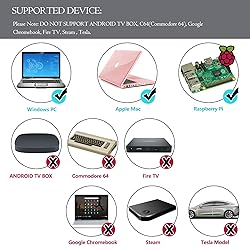
Generic USB controller, this uses a standard USB port, if your program or application accepts USB controller input, it can be used natively without drivers or patches, JUST PLUG AND PLAY! Cord is approx. 5.9 ft. Long. Super sensitive buttons for precision control. Third party controller, not original controller. But it works phenomenal with the Raspberry Pi game emulation and so on. Supported Operating system: Windows 98, ME, Vista, 2000, 2003, XP, 7, 8, 8.1, 10; Linux UBUNTU, Linux Mint, Android Linux (via an USB OTG cable); Mac OS X and beyond; Retrogaming operating systems: RetroPie, Recalbox, Happi Game Center, Lakka, ChameleonPi, Piplay Supported Device (With USB storage device): PC, Notebook Computer, Laptop Computer; Android Smartphone: connect via an USB OTG cable; Raspberry Pi (RPI, Raspberry pie): Raspberry Pi 1 Model B, Model A, Raspberry Pi 1 Model B+, Raspberry Pi Zero, Raspberry Pi 2, Raspberry Pi 3 Model B, Raspberry Pi 3, Retro Pie. --- Note: NOT SUPPORT Android TV BOX. Supported Game Emulators: Current: Project64, 1964, MAME (MESS), Mupen64Plus, Sixtyforce, CEN64; Historical: Project Unreality, Corn, UltraHLE, Nemu64
Compra protegida
Disfruta de una experiencia de compra segura y confiable
![]() Garantía de entrega
Garantía de entrega
Con Tiendamia todas tus compras cuentan con Garantía de Entrega o devolución total de tu dinero.
Compras 100% seguras y garantizadas, para que pidas lo que sueñas y lo recibas del mundo a tu puerta.
Tarjetas de Débito y Crédito

Visa

Mastercard

American Express

Dinners

Discover

Alias
Pagos a través de PayPal
Compra procesada en dólares con dinero en cuenta o tarjetas internacionales.

PayPal

.svg)
